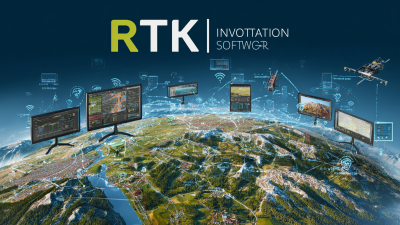
In today’s world, where data is king, it’s honestly pretty crucial for folks in the surveying and mapping game to optimize how they work—thanks to the power of technology. I recently read a report from the International Surveyors Union, and it mentioned that using advanced software like Rtk Software can boost your productivity by up to 30%—that’s a pretty big deal! Not to mention, it can also help cut down on mistakes a lot.
Now, if you’re wondering who’s really got your back in this space, Shanghai Apekstool (or APEKS) is actually one of the leaders when it comes to cutting-edge geospatial surveying gear and software. They specialize in things like GNSS/GPS systems, total stations, and even custom software solutions. Basically, they help users work smarter, not harder, which can totally improve how projects turn out. When you incorporate RTK Software into your workflow, you’re looking at higher accuracy, smoother processes, and a real edge over the competition in this tough industry.
Understanding Rtk Software: Key Features and Benefits
 RTK (Real-Time Kinematic) software has really become a game-changer across a bunch of industries—think surveying, construction, and even farming. Getting to grips with its main features can actually make a big difference when it comes to working smarter, not harder. One of the coolest things about RTK is that it can provide positioning accuracy down to just a few centimeters, and it does this in real-time—super handy when precise measurements matter. In fact, a report from the International Society for Photogrammetry and Remote Sensing (ISPRS) shows that using RTK tech can cut down surveying time by up to 40%. That means professionals can free up resources and get things done faster.
And it’s not just about accuracy and saving time. RTK software plays nicely with a bunch of hardware too—like Gnss Receivers and drones (UAVs). The Association for Unmanned Vehicle Systems International (AUVSI) even found that using RTK-enabled drones can boost productivity by around 30% in farming, giving farmers the ability to manage their fields way more precisely. Plus, since it processes data in real time, errors can be fixed on the spot—so there’s less rework and more overall efficiency. As more industries start adopting RTK solutions, understanding what makes it so valuable can really help streamline operations and make workflows smoother.
Identifying Workflow Bottlenecks to Address with Rtk
Figuring out where your workflow tends to slow down is super important if you really want to boost productivity and keep things running smoothly. When you're working with Rtk software, the first thing to do is to take a close look and identify those sticking points. Keep an eye out for tasks that seem to cause delays often—maybe it's communication issues, clunky processes, or even some limitations in the software itself. Talking with your team about their everyday frustrations can really help uncover hidden problems and point you toward what needs fixing ASAP.
Tip: Make good use of Rtk’s analytics tools to track how long tasks take to complete. That data can give you a clear picture of your workflow patterns and help you spot exactly where things are getting bogged down.
After you’ve spotted those bottlenecks, it's crucial to figure out which ones are hitting your workflow the hardest. Rtk makes it easy to manage tasks and keep everyone accountable, which is a big help when trying to sort out issues. Setting clear guidelines and automated alerts can keep everyone on the same page and remind folks of what they’re supposed to be doing.
Tip: Foster a culture where feedback is welcome—regular check-ins are a great way to stay ahead of new problems and keep improving. When you really leverage Rtk the right way, it can make your workflows more flexible and responsive, saving you time and headaches in the long run.
Step-by-Step Integration of Rtk Software into Your Current System
Bringing RTK software into your current setup can really give your workflow a boost — like, it might even make things up to 30% smoother and more efficient, according to some industry reports. So, before jumping in, take a good look at your existing systems. Pinpoint where RTK can make the biggest difference — maybe in data gathering or analysis — that way, you’re not just guessing. Understanding your current processes helps make the switch easier and sets clear goals for what you wanna achieve with this upgrade.
**Pro tip:** Start small. Maybe run a pilot program with RTK on a limited part of your operation first. It’s a smart way to spot any hiccups without messing up the entire system. Keep checking in, tweak things along the way, and you’ll find that the whole integration goes a lot more smoothly. A study from Gartner shows that companies that roll out new software step-by-step are about 50% more likely to see real improvements in productivity.
Once you’ve got your pilot going, make sure your team gets proper training — it really pays off. Research from the Institute for Corporate Productivity shows that companies investing in training during new software rollouts see about 15% better adoption rates. **Helpful tip:** Encourage your team to share their feedback and experiences with RTK. Not only does this foster a culture of continuous improvement, but it also helps you tweak the software to better fit how your team works best. Ultimately, this collaborative approach keeps everyone on the same page and makes the whole transition smoother and more successful.
How to Optimize Your Workflow with Rtk Software: A Comprehensive Guide - Step-by-Step Integration of Rtk Software into Your Current System
| Step | Action Item | Expected Outcome | Timeframe |
| 1 | Assess Current Workflow | Identify inefficiencies | 1 week |
| 2 | Choose Rtk Software Features | Select relevant tools | 2 days |
| 3 | Integrate with Current Systems | Seamless data transfer | 2 weeks |
| 4 | Train Team Members | Improved software utilization | 1 week |
| 5 | Evaluate Performance | Measure improvements | 1 month |
Customizing Rtk for Specific Industry Needs and Requirements
Customizing RTK software to fit the unique needs of different industries is pretty much essential if you want to optimize your workflow—especially in the world of geospatial surveying. At Shanghai Apekstool (APEKS), we totally get that one size doesn’t fit all. That’s why our RTK software can be tailored to match the specific requirements of various fields—whether it’s construction, farming, or environmental monitoring. By adding in those specialized features, users can boost their accuracy and efficiency, which really helps get things done faster and better.
Let’s be real, adopting customized RTK solutions means your company can get the most out of our cutting-edge GNSS/GPS systems, total stations, and surveying gear. For example, construction teamscan set up Rtk Settings to make layout work smoother, whilefarmers can tweak the software for super precise farming tasks. We’re all about creating these custom tweaks to help our clients not just meet, but actually crush their goals. That’s what sets APEKS apart as a go-to provider of innovative surveying solutions here in Shanghai—and beyond.
Monitoring and Measuring Workflow Improvements with Rtk
In the rapidly changing world of geospatial surveying, finding ways to make your workflow more efficient and accurateis super important. That’s where RTK software really comes in handy. It offers tools that help professionals keep tabs on their processes and see how they're improving over time, all in a pretty straightforward way. Did you know? According to a recent report from MarketsandMarkets, the Global Gnss and GPS market is expected to hit around$178 billion by 2026. That just goes to show how much we’re counting on precise geospatial data these days. Using RTK software, companies like Shanghai Apekstool (APEKS) can boost their service game—making data collection and analysis smoother and faster, which means quicker decisions and better outcomes.
Now, if you want to actually track how much your workflow is improving, RTK software has some pretty cool analytics built in. These track performance metrics in real time, so you know exactly what's working and what’s not. A study from the Surveying & Geomatics Program at the University of Arkansas even found that adding software solutions like these can boost productivity by as much as 25%. For businesses that deal with geospatial stuff, using RTK software isn’t just about speeding things up—it also helps improve the quality of the survey results. It gives you detailed insights into your processes, so you can spot bottlenecks and fix them. All in all, it just helps you deliver more reliable geospatial data and services—and who wouldn’t want that?
Best Practices for Ongoing Optimization Using Rtk Software
Getting the most out of your workflow with RTK software isn’t a one-and-done deal — it’s all about staying committed to best practices that really boost efficiency and productivity. I mean, according to a report by IDC, companies using solid RTK solutions are seeing around a 30% jump in how smoothly things run. That really shows why it’s so important to keep revisiting and tweaking how you’re using these tools — basically, keep things fresh and optimized.
One handy tip I’ve picked up is to set up a feedback loop with your team. Make it a habit to ask your people how the software is working for them — stuff like what’s working, what’s not, and if there are any annoyances that keep popping up. Not only does that help make your software use way better, but it also gives your team a sense of ownership — they feel like they’re part of the process. Also, don’t forget to keep your RTK software updated to the latest version. Those updates often bring new features and improvements based on user feedback, which can make even complicated tasks a lot easier.
And here’s another pro move — use data analytics within your RTK setup. Gartner’s research shows that companies tapping into data analytics can make decisions up to 70% faster. When you bring analytics into your workflow, you’ll start uncovering insights that help you tweak and improve your process, keeping your organization adaptable and always a step ahead, especially in today’s fast-moving market.
Workflow Optimization Performance Metrics
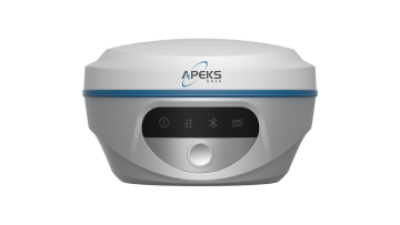
Unleashing Precision: The AP10 GNSS Receiver for Efficient Surveying and Construction Applications
The AP10 GNSS Receiver is revolutionizing the landscape of surveying and construction applications with its unmatched precision and efficiency. Designed for a variety of topographic challenges, this powerful yet cost-effective GNSS receiver elevates productivity in real-time kinematic (RTK) positioning. Whether used for surveying, staking out, or mapping, the AP10 stands out as a go-to solution for professionals who demand accuracy without compromising on affordability.
What truly sets the AP10 apart is its ability to perform in diverse environments, ensuring reliable data collection even in the toughest conditions. Its advanced technology and user-friendly interface make it ideal for both seasoned professionals and newcomers to the field. The AP10 GNSS Receiver is not just a tool; it is an essential partner for those looking to maximize efficiency on construction sites and during surveying projects. By incorporating the AP10 into their workflows, users can expect quicker project completion and more precise results, enhancing the overall quality of their work.
FAQS
: RTK software is primarily used in surveying, construction, and agriculture to provide precise real-time positioning and enhance operational efficiency.
RTK software can deliver centimeter-level accuracy in real-time positioning, which is crucial for precise measurements.
Integrating RTK technology can reduce surveying time by up to 40%, allowing professionals to allocate resources more effectively.
Utilizing RTK-enabled UAVs can increase agricultural productivity by as much as 30%, enabling farmers to manage their fields with greater precision.
RTK software has real-time data processing capabilities that allow for on-the-fly error correction, minimizing rework and enhancing productivity.
RTK software provides tools for monitoring and measuring workflow improvements, helping organizations to streamline data collection and analysis.
RTK software incorporates advanced analytics that track key performance indicators (KPIs) in real-time to measure workflow improvements effectively.
Utilizing RTK software not only improves operational efficiency but also enhances the quality of surveying outcomes by providing detailed insights into workflow processes.
The global GNSS and GPS market is projected to reach $178 billion by 2026, highlighting a growing reliance on precise geospatial data across industries.
Organizations can identify bottlenecks within their workflow processes and implement strategies to address them, leading to more reliable geospatial data services.
Conclusion
In today's super busy world of geospatial surveying, fine-tuning your workflow is more important than ever if you want to boost productivity and get better accuracy. This handy guide on 'How to Optimize Your Workflow with RTK Software' walks you through the main features and perks of using RTK Software. It helps you spot those annoying bottlenecks slowing things down and shows you how to fix them efficiently. When you bring RTK Software into your existing tools, you can even tailor it to fit your specific industry needs—and keep track of how your workflow gets better over time.
On top of that, sticking to best practices for ongoing tweaks and improvements means those performance gains can really stick. If you're looking for backup, Shanghai Apekstool (or APEKS) is a trusted name in cutting-edge surveying and mapping gear. They're ready to help your business make the most of RTK Software, making your projects more efficient and precise. It’s all about helping you stay ahead in this fast-evolving geospatial world.